Whisper Miau transcribes
Every word together with inhales, breaths, hesitations, and cut off words. You see the same transcript later in text based editing.
Video essays, documentaries, vlogs. Hours of footage and yet another take of the same sentence. Pleofon handles the first edit so you can get on with the film.
Try it yourself!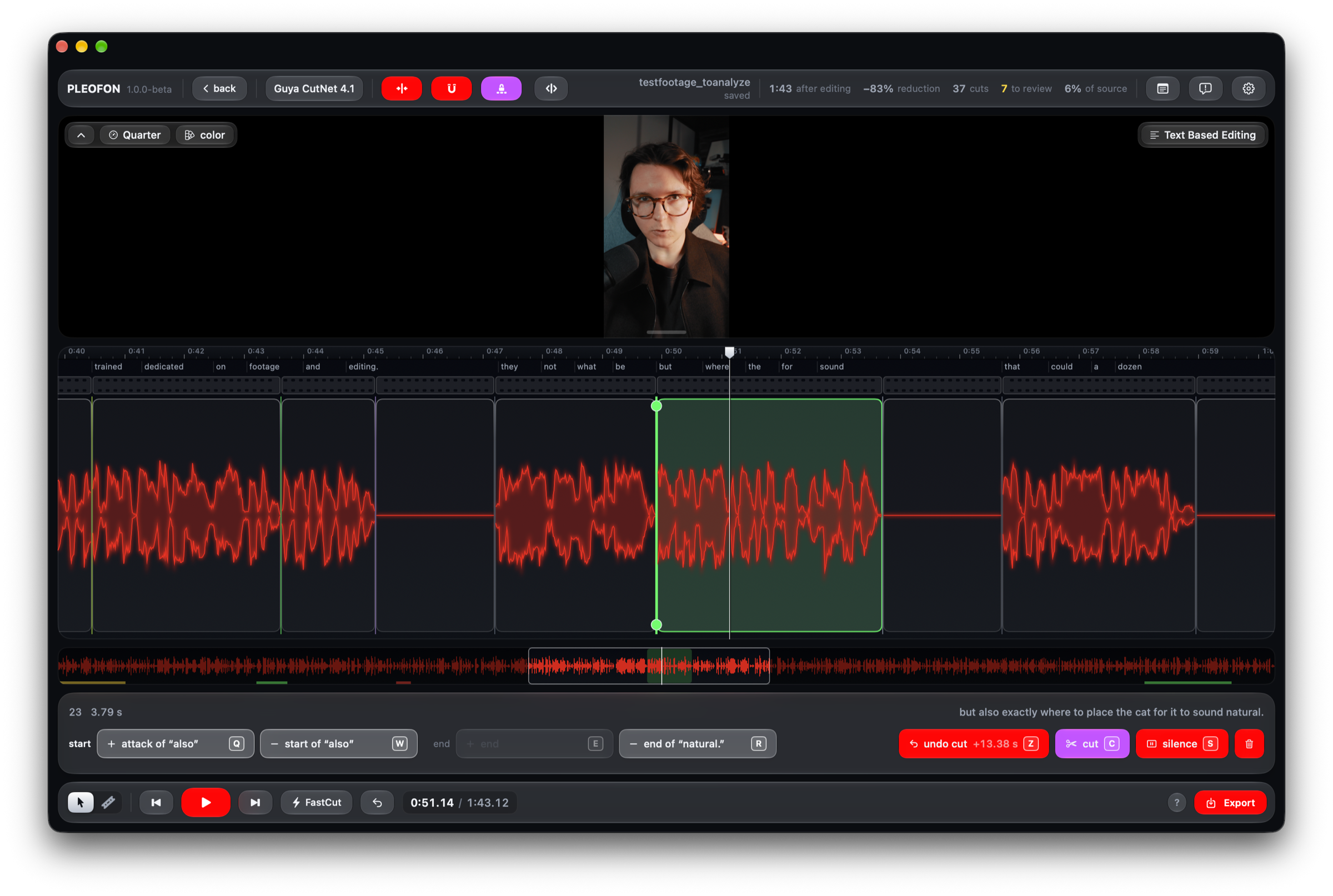
An editor does not cut by silence. They listen to what was said, pick the best version, and only then look for the place to cut. Pleofon works the same way, in three steps.
Every word together with inhales, breaths, hesitations, and cut off words. You see the same transcript later in text based editing.
It reads sentences in the context of the whole recording and listens to how they were spoken. Retakes, false starts, and abandoned thoughts go, the point stays.
It goes back to the audio with Redaktor’s decisions and places every boundary itself, right against the word. The length of a pause follows the speech, rather than a single rule applied to the whole film.
A new pair of custom models. Silver hears where to cut. Redaktor understands what to keep. They learned from raw footage paired with versions cut by a professional editor.

Hears every
breath.
Silver is Pleofon’s new core model. It listens together with Whisper Miau, our fine tuned version of Whisper, which writes down not only the words but also inhales, breaths, hesitations, and cut off words. So Silver knows what is being said, not only how it sounds, and places every boundary right against the word.

Knows what
to keep.
Redaktor weighs every sentence against the whole recording: is it finished, does it repeat something already said, does it fit the rest. It also listens to prosody, the intonation, the pace, and the way a sentence ends, so it can tell an abandoned thought from a full stop. It works in Digest mode.
Silver
Silver tidies up the recording: it removes silences, fillers, and failed takes, and keeps nearly all the content. For speech where every sentence has a place. No script required.
Silver + Redaktor
Redaktor chooses what stays and Silver places the cuts. For vlogs, tangents, and several attempts at the same thought. Pleofon works out how much to cut from the material itself.
Silver and Redaktor were given recordings before and after editing. Thousands of decisions about what to cut, where to leave a breath, and when to move on.
We also fine tuned Whisper. Whisper Miau learned from our own corrected transcripts, so it writes down what plain Whisper misses: inhales, breaths, hesitations, and cut off words. Silver and Redaktor build on that transcript, and you see it in text based editing.
Hoursof carefully edited training footage
PL + ENtraining languages
Both models were trained on Polish and English recordings. Results in other languages may vary.
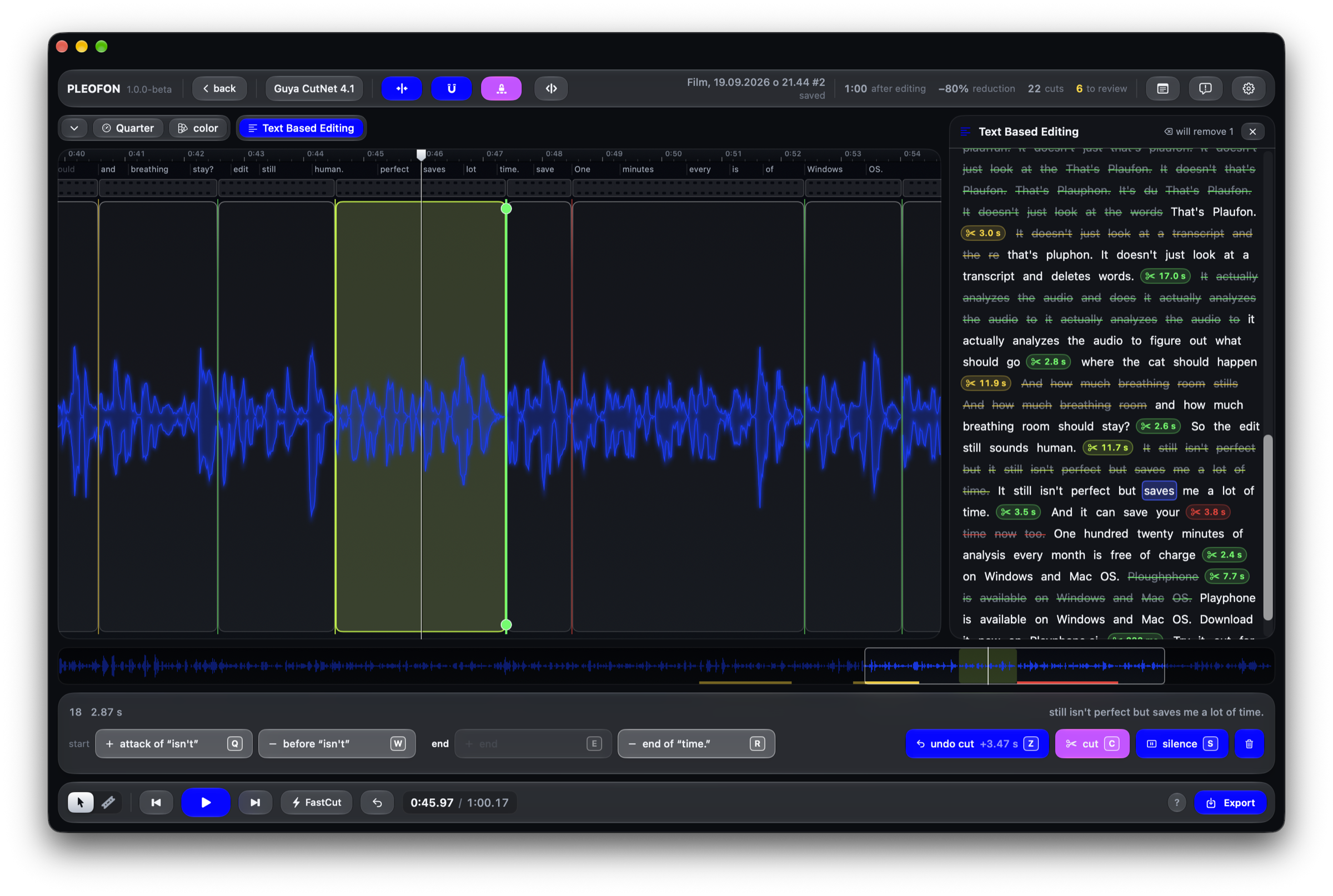
That is why the editor matters as much as the models. Each cut takes you straight to the relevant fragment. Review it, adjust it, and get back to work.

Move a single clip boundary or change the pacing with a global slider. Snapping to words and silence helps you land in the right place.

Listen to the removed fragment and undo the model’s decision. No hunting through an hour of footage. Your source file stays untouched.

Delete words in the transcript and watch the cuts on the timeline. Whisper Miau also writes down hesitations, cut off words, and breaths, so you cut exactly what you mean, with clean boundaries.

Select a fragment on the timeline and remove it your way. Familiar shortcuts and a traditional timeline help you finish what the model started.
Export the finished video or move the timeline into your editing software via XML. The first cut should help you get on with the rest of the work.
Analysis happens locally. No uploading gigabytes of raw footage for a server to process.

Built by an editor who would also rather spend less time cutting hours of raw footage.
You choose and activate your plan inside the app.
0 USD
The complete app, with a limit of 120 minutes of analysis per month
19.99 USD per month
Everything, with no limits at all
Mac with Apple silicon and macOS 26 or later, or 64-bit Windows 10 (1809) or later. Analysis runs on your own computer.
Yes. The open beta is a free download: the complete app with a limit of 120 minutes of analysis per month. It runs on Macs with Apple silicon and macOS 26 or later, and on 64-bit Windows 10 (1809) or later.
Nothing. Pleofon never overwrites or modifies it. Finished media and XML are created as separate files.
Pleofon runs on Macs with Apple silicon and macOS 26 or later, and on 64-bit Windows 10 (1809) or later. The models do their work on your own machine, with no upload of your footage.
You can work with either. Picture stays locked to sound throughout the edit.
The name refers to Kazimierz Prószyński’s Pleograph, a Polish invention older than the Lumière brothers’ Cinématographe. It also combines ‘pleo’, meaning excess, with ‘fon’, meaning sound.